
SQL Server that stays healthy and supported.
From a one-week health check to monthly managed care, we keep the databases your business runs on fast, secure, and supported, and move them to Azure when you're ready.Health checks, migration, tuning, and managed DBA support for the databases your business runs on.
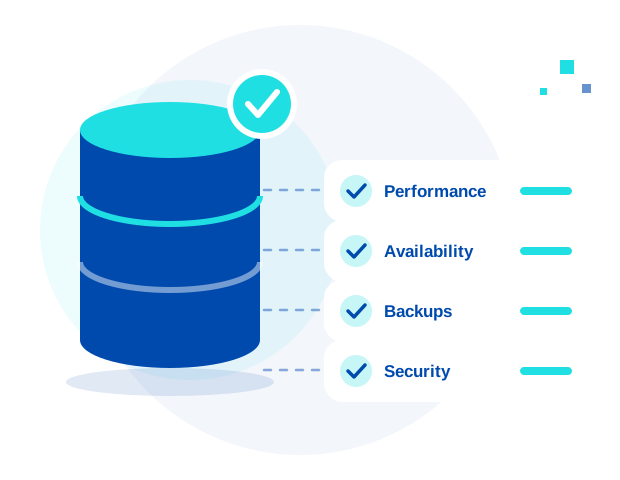
Databases are easiest to fix before they fail
Most SQL Server problems build up quietly: backups nobody has tested, patches that slipped, queries that got slower as the data grew, a server version that has aged out of support. They tend to surface at the worst moment, during a close, an audit, or an outage.
We help you find those problems early, fix the ones that matter most, and decide with clear information whether to stay on-premises, upgrade, or move to Azure. If you'd rather not carry the day-to-day yourself, we can take that on too.
SQL Server 2016 is out of support
Microsoft ended extended support for SQL Server 2016 on July 14, 2026. Paid Extended Security Updates, which deliver only Critical-rated security fixes after support ends, cover up to three more years, but they only buy time, and older versions are already past end of support. See Microsoft's lifecycle page. Or compare your options and use our end-of-support checklist.
What we do
Four ways to work together, from a one-week review to ongoing care.
SQL Server Health Check
A one-week review of performance, availability, backups, and security. You get a prioritized fix list, so you know what matters most and what can wait.
About the Health CheckMigration & Upgrades
Moving off SQL Server 2016 and older versions, consolidating servers, and moving to Azure SQL (Microsoft's managed database service), Managed Instance (a managed, SQL Server-compatible option), or Azure virtual machines, with the target chosen to fit your workload.
Performance Tuning
Fixing slow queries, indexing, blocking, and other bottlenecks, so the systems your team depends on respond the way they should.
Managed DBA
Database administration as a monthly service: ongoing monitoring, backups, patching, high availability (keeping databases running if a server fails), and on-call support from a dedicated team, so your databases are looked after without adding headcount.
How an engagement typically unfolds
Most work starts with a review and grows only as far as you want it to.
Review
We start with the Health Check: performance, availability, backups, and security.
Prioritize
You get a ranked fix list with clear reasoning, so you can decide what to act on first.
Fix or migrate
We tune, upgrade, or migrate what you choose, on a scope you've approved.
Stay covered
If you want ongoing care, Managed DBA takes over monitoring, backups, patching, and support.
Signs you need this
- You're still running SQL Server 2016 or an older version
- Nobody on your team has the database as their full-time job, or your DBA is leaving
- Queries time out or slow down at busy times
- You're not sure your backups could actually be restored
- An audit or security review is asking questions about patching and access you can't answer confidently
- You're planning a move to Azure but aren't sure which option fits
Platforms we work on
Common questions
Access to review your environment, agreed up front and kept as limited as the review allows, and a point of contact who knows the systems. We'll confirm exactly what's needed when we scope it.
Yes. The Health Check isn't only about versions. Backups, performance, availability, and security matter on any version, including current ones.
Both. Many environments are a mix. We work on-premises, on Azure virtual machines, and on Azure SQL services, and we help you decide where each workload should live.
Managed DBA includes a response within 3–4 business hours, Monday to Friday, 9 AM to 6 PM Eastern. After-hours support is available by agreement, with a response within 3–4 hours. Response time is how quickly a qualified person engages with your request, not a guarantee of how quickly an issue is resolved.
Yes. Some clients want us to cover what their team doesn't, such as monitoring, patching, or after-hours coverage, while their own people stay in charge of the applications and the data.
Explore our other services
SQL Server is one of three areas we cover with a single team.
Start with a SQL Server Health Check.
A one-week review and a prioritized fix list, so you know exactly where you stand.
Book a Health Check